Redesigned Main Menu (2.3) - Mod Configuration Guide & Config Presets



Like the Redesigned Main Menu allows to configure some features through an XML file. You can do this manually yourself or use the presets below.
To configure the mod manually, you need to open the !NISANE.RedesignedMainMenu.ConfigPreset.Custom.package (download from attachments) with any The Sims 4 .package file editor (better to use Sims 4 Studio) and make some changes in XML file (Font Configuration - F97E0B073D9C7FBD)
In the XML file you will find the following options:
- <DefaultBackgroundColor>6699FF</DefaultBackgroundColor> [line 2]
The color to which the default background will be replaced (in case there are no installed backgrounds for the mod)
6699FF - default background value (no coloring)
You can quickly choose a color from any "html color" website (example https://htmlcolorcodes.com/ )
- <HouseholdPortrait_Alpha>1.0</HouseholdPortrait_Alpha> [line 4]
The value of transparency (alpha) for a household portrait.
For example: 0.5 - 50% transparency of the image.
Valid values: 0.0 - 1.0.
- <HouseholdPortrait_X_Offset>0</HouseholdPortrait_X_Offset> [line 5]
The offset value from the default position for the X-axis of a household portrait.
Valid values: -∞, +∞.
- <HouseholdPortrait_Y_Offset>0</HouseholdPortrait_Y_Offset> [line 6]
The offset value from the default position for the Y-axis of a household portrait.
Valid values: -∞, +∞.
- <HouseholdPortrait_Scale>0.66</HouseholdPortrait_Scale> [line 7]
Multiplication value for a household portrait scale.
Valid values: 0 - 3.0.
0.66 is the default size.
- <NewsFeed_Alpha>0.8</NewsFeed_Alpha> [line 9]
The value of transparency (alpha) for the news feed panel.
For example: 0.5 - 50% transparency of the feed.
0 - completely hide the news feed.
Valid values: 0 - 1.0.
- <WelcomeMessage>default</WelcomeMessage> [line 11]
Text variable for the welcome message (upper right corner).
default - value for the default message.
Leave the field blank to hide the message.
Valid values: any text value.
- <WelcomeMessage_Color>FFFFFF</WelcomeMessage_Color> [line 12]
Value for the color of the welcome message.
FFFFFF - default white coloring
You can quickly choose a color from any "html color" website (example https://htmlcolorcodes.com/ )
- <TabButton_Alpha>1.0</TabButton_Alpha> [line 14]
Transparency value (alpha) for the background of tab buttons (HOME/STORE/EVENTS)
Note: when setting values from 0.1 to 0.9, two lines may appear on the background, this is a glitch due to the overlapping of the three sprites that form the button shape. Unfortunately, I can't fix it.
0 - completely hide the background.
Valid values: 0 - 1.0.
- <BackgroundImageID>0</BackgroundImageID> [line 16]
The name or instance ID of the background image that will be displayed in the main menu.
To get the name, select the .package background and copy the value after "NISANE.DLS_Background_". For example, if you want your background to be from the "NISANE.DLS_Background_AI.F.REAL.NSFW.26.package", you would enter "AI.F.REAL.NSFW.26", "NISANE.DLS_Background_CUSTOM.1.package" = "CUSTOM.1".
Instead of a name, you can also enter an instance ID of any image, it can be from the game files or from any other mod.
0 - default randomization.
- <ShadeOverlay>true</ShadeOverlay> [line 18]
Enables black shade overlay.
Change the value to "false" to disable (or "true" to enable)
- <Widescreen_Fix>true</Widescreen_Fix> [line 20]
Enables backgrounds stretching.
Change the value to "false" to disable stretching (or "true" to enable)
Don't forget to click "Save" when you're done.
Install the configuration preset in the same folder as the DLS mod.
You can rename the name of the preset, just leave the "!" at the beginning.
Presets:
Default (no preset, just CORE)
Preset A
reduced household portrait and moved above household name, hidden news feed
Preset B
enlarged household portrait by 33%, hidden news feed, hidden tab buttons background, changed welcome message color
Preset Clean
hidden household portrait, news feed, welcome message and tab buttons background
Installation:
- Move one of the presets described above with Redesigned Main Menu mod to Documents\The Sims 4\Mods folder.
 597 KB
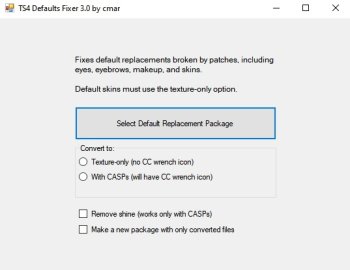
Default Eye Colors Fixer 3.0
This is a very simple tool to fix default replacement eyes, eyebrows, makeup, and skins that were broken by the June 3 and Oct. 7 patches. Version 3.0 has been tested with human
 Updated: 3-09-2025, 08:59
4 MB
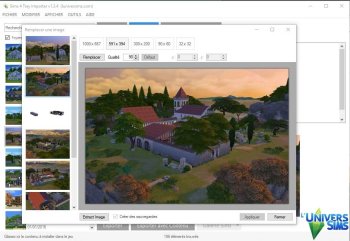
Sims 4 Tray Importer 1.25.8.1 (31.08.2025)
This program allows you to extract or import Sims 4 content (houses, lots, characters or rooms) from your library. The wonderful Sims 4 Tray Importer program has been updated to
 83.26 MB
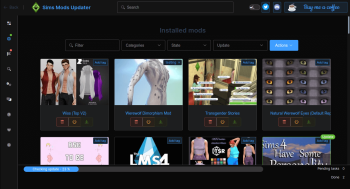
Sims Mods Updater
This is an Electron application that handles your mods. When an update is available, this will automatically ask you to install it. This means more time to play!
 Updated: 29-01-2024, 14:19
129 MB
Sims 4 Mod/CC Manager 2024 V1.2.7
This program is designed to help you bring order to your Sims 4 mod folder.