Installing Mods

The Reloaded II mod manager combined with the FINAL FANTASY XVI Mod Loader is the primary way to manage mods for FFXVI.
It quickly handles what would normally be a multi-step process with FF16.Tools for all managed mods.
Requirements
Reloaded-II Mod Manager
ff16.utility.modloader (Mod Loader)
7-Zip to extract Reloaded-II (if not using the setup)
Text Tutorial
- Setting up Reloaded-II
- Download Reloaded-II's Release.zip, or Setup.exe.
- Extract Release.zip to its own folder or run the Setup.exe and install it.
- Open Reloaded-II.exe.
- Press the + Icon to add a game and select ffxvi.exe.
- Drag & Drop ff16.utility.modloader.7z to Reloaded-II. You may need to restart Reloaded-II to be able to drag-drop.
- In Reloaded-II make sure to tick on the checkbox next to FINAL FANTASY XVI / 16 Mod Loader to enable it.
Installing Mods
- Download a mod. You can find mods on sites like Nexus Mods and GameBanana. Make sure that they are compatible with Reloaded-II.
- Same process, drag & drop.
- Press Launch Application to launch the game and install the mods.
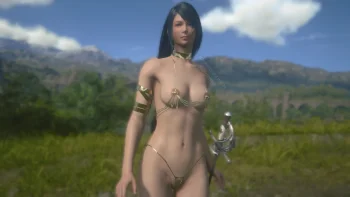 133.7MB
Jill Nude Golden Desert Dancer Outfit NSFW
Replaces Jill's Default Outffit with a Nude Golden Desert Dancer Costume. Mod features Golden Pasties and Anal Beads Options
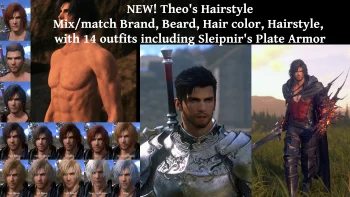 99.5MB
Reskin Clive's Appearance Tool NSFW Version NSFW
A tool to customize Clive's armor and face. It offers 14 outfits and detailed facial and hair customization options. The NSFW version includes a nude option. You can combine this mod with other Clive mods to create even more unique looks for your character. Several outfits come with hood up
 11 MB
11 MB
FF16Tools v1.6.3
Tools & Library for Final Fantasy XVI/16
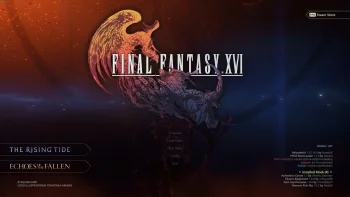 6.2MB
6.2MB
Final Fantasy XVI Mod Loader (Reloaded-II) v1.1.9
This is a Final Fantasy XVI mod loader for Reloaded-II. The loader will auto-update within Reloaded-II.